 The CygNet ELF Trend Grid Control is an ActiveX control used to create custom human-machine interface (HMI) screens in a CygNet Studio application instance to view trends and tabular displays of forecasted data over a configured period of time.
The CygNet ELF Trend Grid Control is an ActiveX control used to create custom human-machine interface (HMI) screens in a CygNet Studio application instance to view trends and tabular displays of forecasted data over a configured period of time.
Use the HMI screen to change the time window displayed, change the target facility, reconfigure the series displayed on an ad hoc basis, view or edit any value displayed in the trends.
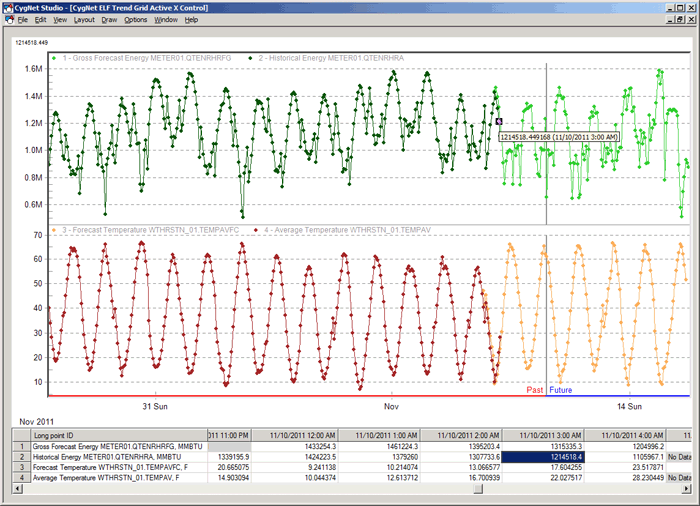
The following example displays historical energy and gross forecasted energy for Meter 01 overlapped in the upper part of the graph, and average temperature and forecasted temperature for Weather Station 01 overlapped in the lower part of the graph for October 27 to November 15, 2010.
More:
 Configuring the CygNet ELF Trend Grid Control
CygNet ELF Trend Grid Control – Properties, Events, and Methods
CygNet ELF Trend Grid Control – ActiveX Properties
Using the CygNet ELF Trend Grid Control
|
|
|

